Install or renew an SSL certificate you bought, in cPanel
An SSL certificate bought from a certificate authority is installed in three steps: generate a request (CSR) in cPanel, hand it to the authority, then install the certificate it sends back. The same procedure is used to renew.
Before you start
- You can log in to cPanel (see the article "Log in to cPanel").
- The domain to protect really points to your hosting.
- If you already had a certificate, you can renew it with the same procedure: generate a new request, then install the new certificate in its place.
- You know which certificate you need (see the article "Which SSL certificate to choose"): a "wildcard" certificate protects a domain and all its subdomains.
- A DNS "CAA" record on your domain limits which authorities may issue a certificate. According to the cPanel documentation, if one excludes your authority, change it in the Zone Editor.
Steps
In cPanel, open SSL/TLS Certificates (under "Security"): the screen groups several tabs.
- Generate the signing request (CSR). Open the Requests tab. Under "Generate a New Certificate Signing Request (CSR)", choose the Key (or "rsa-2048" to generate a new one), then fill in Domains (one per line; for a wildcard, write
*.your-domain.com), City, State, Country and Company. The Passphrase field is optional. Click Generate. If you are not a business, the cPanel documentation accepts your legal name in "Company". - Copy the CSR and send it to the certificate authority when you order. It may ask for extra checks for an OV or EV certificate: answer them so the certificate can be issued.
- Collect what the authority sends you: the certificate (CRT) and, often, a "CA bundle" file (the chain of authorities).
- Install the certificate. Open the Installation tab. Under Install an SSL Website, choose the Domain, paste the certificate in Certificate: (CRT), then click Autofill by Certificate: cPanel looks on the server for the matching Private Key (KEY), the one from your CSR. You usually do not need the Certificate Authority Bundle: (CABUNDLE): according to cPanel, the server fetches it by itself; paste it only if the installation fails. Click Install Certificate.
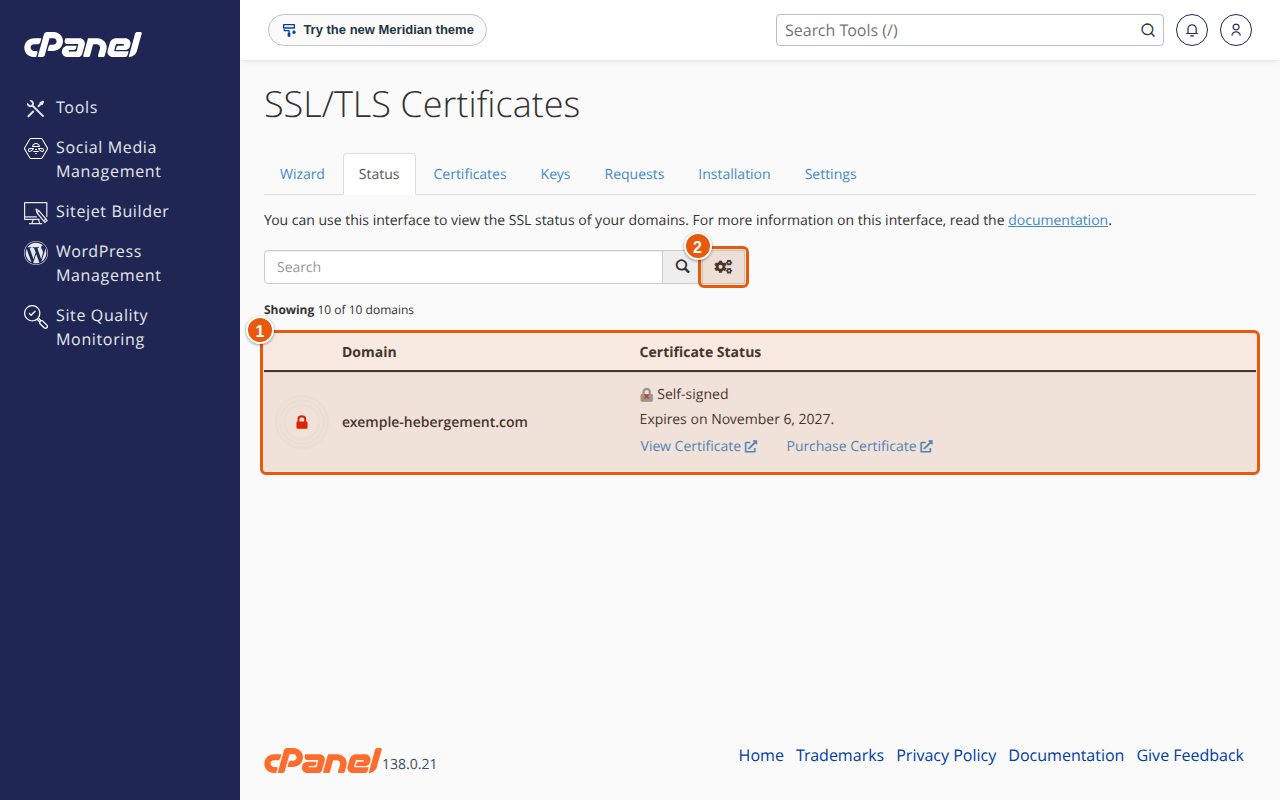
- Check. Open the Status tab: the domain should appear with its new certificate. Then open your site over
https://and check the padlock.
Another option: in the Certificates tab, you can paste the certificate or upload the .crt file, then install it from the list.
Renewal. Repeat steps 1 to 4. In step 4, if the domain is already listed under "Manage Installed SSL Websites", you can also click Update Certificate next to the domain.
Expected result
The site opens over https:// with the padlock, with no browser warning. The "Status" tab shows the domain with the type of certificate you bought (DV, OV or EV).
If something goes wrong
- A message says the private key does not match the certificate. The certificate was not issued from the CSR you generated in cPanel, or you generated a new key in the meantime. Generate a new CSR and ask for the certificate to be reissued.
- The browser still shows an error after installation. The chain of authorities may be missing: paste the CA bundle in the "Certificate Authority Bundle" field. Also clear the cache and reload the page.
- A page of the site shows a "mixed content" warning. An image or script of the site is still loaded over
http://. Change the address tohttps://or see the article on HTTPS redirection. - The private key is lost. The cPanel documentation warns that a lost private key cannot be recovered. You need to generate a new key and a new CSR, then have the certificate reissued.
- The authority refuses to issue the certificate. Check that no CAA record excludes it (see above).
FAQ
How do I generate a CSR in cPanel? In "SSL/TLS Certificates", "Requests" tab, fill in the signing request form then click "Generate".
How do I install a wildcard certificate?
The procedure is the same: in step 1, enter *.your-domain.com in "Domains". The certificate then covers subdomains such as shop.your-domain.com, but not the bare domain (your-domain.com), according to the cPanel documentation: add it too in "Domains".
Should I renew the certificate before it expires? Yes: an expired certificate makes your visitors see a warning. The "Status" tab flags certificates that expire soon (the "Expiring Soon" filter).
Where is my private key? In the "Keys" tab. The cPanel documentation recommends keeping a copy somewhere safe.
Going further
Looking for a certificate that suits your site? See our security solutions.